How to reduce no-shows: 11 strategies for appointment businesses
Missed appointments cost salons, barbershops and clinics real money. Here is how to measure your no-show rate and cut it with reminders, policies, deposits, waitlists and better booking.
By The Applio team5 min read
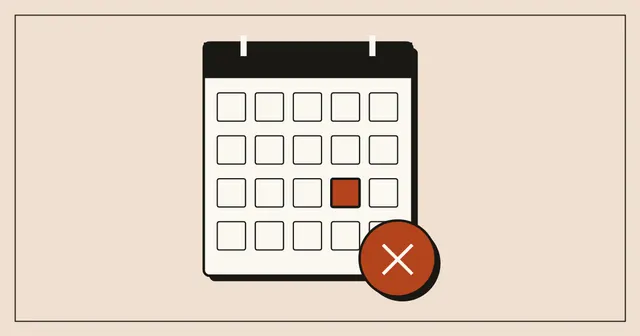
A no-show is the most expensive gap in a service business. The chair is empty, the staff is paid, the product was prepared, and the slot cannot be resold at five minutes' notice. One missed appointment a day rarely feels like a crisis, which is exactly why it goes unfixed for years.
This guide covers how to measure the problem and eleven ways to shrink it. We build booking software for barbershops and salons, so some of this comes from watching how clients actually behave once booking moves online.
First, measure it
You cannot tell whether a change works without a starting number. Take the last four weeks and count:
- Booked appointments
- No-shows (did not come, did not cancel)
- Late cancellations (cancelled with less notice than you can refill, often under 24 hours)
Your no-show rate is no-shows divided by booked appointments. Track late cancellations separately; they need different fixes.
Then put a price on it. A simple example: a barbershop with 3 barbers, each losing one 25 € appointment a week to no-shows, loses 75 € a week. That is about 325 € a month, or 3,900 € a year. Use your own numbers. Most owners are surprised by the result, and the yearly figure makes it easier to justify a booking system or a few minutes a day of follow-up.
1. Send reminders, and send two
Most no-shows are forgetfulness, not bad intent. A reminder fixes a large share of them. Two reminders work better than one:
- The day before: gives the client time to cancel or reschedule, so you can refill the slot.
- A couple of hours before: catches people who planned to come but lost track of the day.
Push notifications from a booking app are free and arrive instantly. SMS reaches everyone, including clients without the app, but costs money per message. Email is the weakest for short-notice reminders because people check it less often.
2. Ask clients to confirm
A reminder that asks for a reply ("Tap to confirm your appointment tomorrow at 10:30") does two things. It makes the commitment feel real to the client, and it tells you who has not confirmed, so you can call those people or prepare to fill their slot.
3. Make cancelling and rescheduling easy
This sounds backwards, but it works. When cancelling requires a phone call during opening hours, many people avoid the awkward call and simply do not show up. A one-tap "cancel" or "move" button in a booking app turns a silent no-show into a cancellation you hear about in time.
4. Have a clear cancellation policy, and show it
Decide on a rule, for example "cancel at least 12 hours before", and show it in three places: on the booking page, in the confirmation message and in the reminder. Clients respect rules they were told about up front. Rules mentioned only after a missed appointment cause arguments.
Keep the wording friendly: "We hold this time just for you. If you can't make it, please cancel at least 12 hours before so another client can take the slot."
5. Use deposits where they make sense
For long or expensive services (colouring, a tattoo session, a wedding consultation) a deposit dramatically changes behaviour. Clients who have paid something show up.
You do not need deposits on a 15-minute beard trim, and asking for them can push away new clients. A common middle ground is to require a deposit only for services above a certain length or price, or only for clients who have missed before.
A practical note: not every booking system processes payments. Ours, Applio, does not take online payments, so businesses that want deposits use a separate payment link or collect them in person when the booking is made. Whatever you use, keep the process simple for the client.
6. Keep a waitlist
A cancellation is only lost money if the slot stays empty. Keep a list of clients who want an earlier appointment, and message them the moment a slot opens. On busy days, a waitlist can turn most late cancellations back into paid appointments.
7. Track repeat offenders
A small number of clients usually cause a large share of no-shows. Note who has missed appointments. After a second or third no-show, it is reasonable to ask that person for a deposit or to book only by phone. Most good booking software keeps a per-client history, so this takes seconds.
8. Book the next visit before they leave
Clients who book their next appointment at the counter, while the haircut is fresh in their mind, come back more reliably than clients who are supposed to "book online later". Ask at checkout: "Same time in four weeks?"
9. Watch your booking horizon
Appointments booked far in the future are easier to forget and more likely to collide with something else in the client's life. If you see that bookings made weeks ahead have a higher no-show rate in your own data, send an extra reminder for those, or ask clients to reconfirm a few days before.
10. Make it personal
A reminder from "Samir" lands differently than one from "System notification". Use the staff member's name and your business name in reminders, and keep the tone human. People are less likely to stand up someone they think of as a person.
11. Fill gaps with last-minute promotions
When a no-show or cancellation leaves a gap, a push notification to clients who opted in ("Free slot today at 14:00") can fill it within minutes. Use it sparingly so clients do not learn to wait for last-minute deals.
What to do this week
- Count last month's no-shows and late cancellations, and put a yearly price on them.
- Write your cancellation policy in one friendly sentence and add it to your booking confirmations.
- Set up two automatic reminders, the day before and two hours before.
- Start a waitlist, even if it is a note on your phone.
Then measure again in four weeks.
If you are choosing or replacing a booking system, our guide to what features actually matter in a booking app covers reminders, rescheduling and the rest. Applio sends a reminder two hours before every appointment and lets clients cancel or move a booking in one tap. You can see how it works here.
Written by
The Applio team
We build booking software for appointment-based businesses: the Applio platform and the BarberSamir app on the App Store. We write about the tools and habits that save us time. More about us
Keep reading
Business
How to get more Google reviews without breaking Google's rules
A practical system for getting more Google reviews: the right moment to ask, your review link and QR code, message templates, replying to bad reviews, and what Google's rules forbid.
· 4 min read
Business
How to start a barbershop: costs, checklist and mistakes to avoid
A practical guide to opening a barbershop: market research, licences, location, equipment and what it costs, pricing, booth rent vs commission, booking and marketing, plus the mistakes new owners make.
· 6 min read
Business
How to choose a booking app for your business: 10 features that matter
A buyer's guide to online booking software for salons, barbershops, clinics and other appointment businesses: the features that matter, marketplace vs your own app, pricing traps and questions to ask in a trial.
· 5 min read